Never Guess What She'd Love: The New Love Tab in Yuni
You want to do something nice for her. Nothing grand, just the right small thing on an ordinary Tuesday. So you stand in the shop guessing: flowers, or would she rather you cooked tonight and let her put her feet up? Her birthday is in two weeks, and the list of gift ideas in your head is one item long.
Most of the time she knows exactly what would feel good. She would just rather not spell it out, and you would rather not guess. The new Love tab in Yuni, in the latest update, gives her an easy place to say it and gives you an easy way to answer. First, a short look at the idea behind it.
The five love languages, in plain words
The love languages come from Gary Chapman's 1992 book The Five Love Languages. It is a popular way to talk about love rather than a scientific finding, and most people recognize themselves in more than one. Still, it puts words to something true: people feel loved in different ways, and we tend to give love the way we like to get it.
- Words of affirmation. Hearing it said out loud: that you noticed, that you are proud of her, that she looks lovely. Her wish might be "Tell me something kind".
- Acts of service. Help that takes something off her plate. "You cook tonight."
- Physical touch. Closeness that needs no words. "A long hug when you get home."
- Quality time. Your full attention, with the phone face down. "A quiet evening, no phones."
- Receiving gifts. Not about price. The point is that you thought of her when she was not there. "Peonies, no occasion."
Her love language can also shift with how she feels across the month, which we wrote about in her love language changes every week. And any framework only gives you the category. Knowing she values quality time does not tell you whether tonight she wants a walk or a film on the sofa. That last step is what the Love tab is for.
What's new: the Love tab
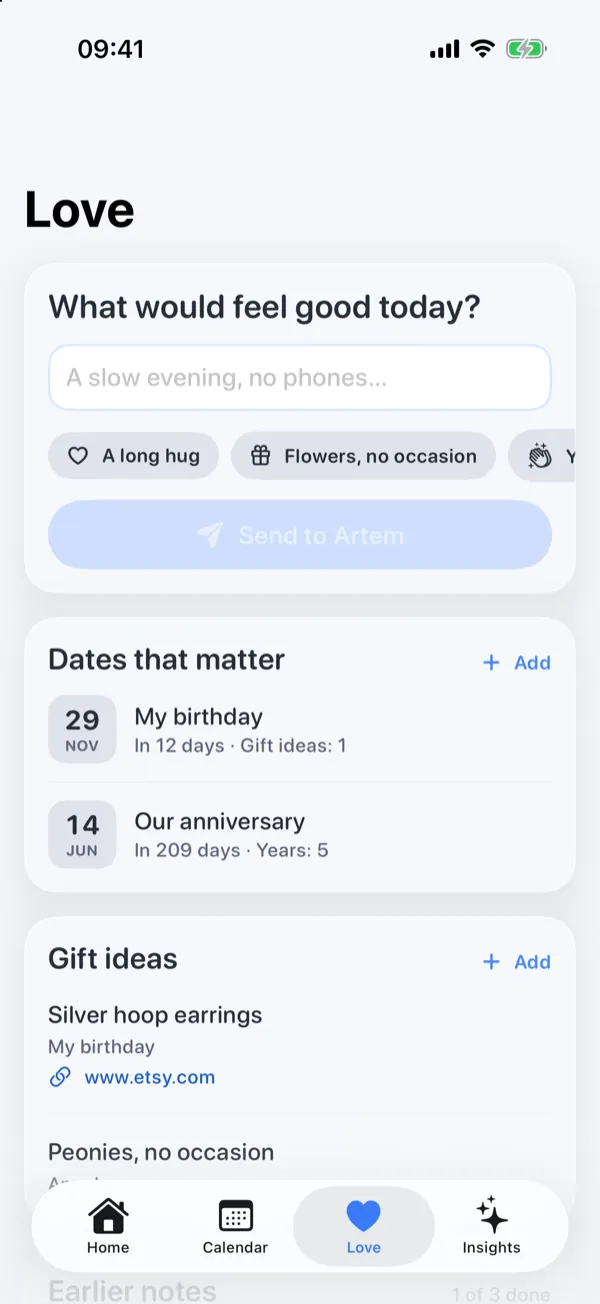
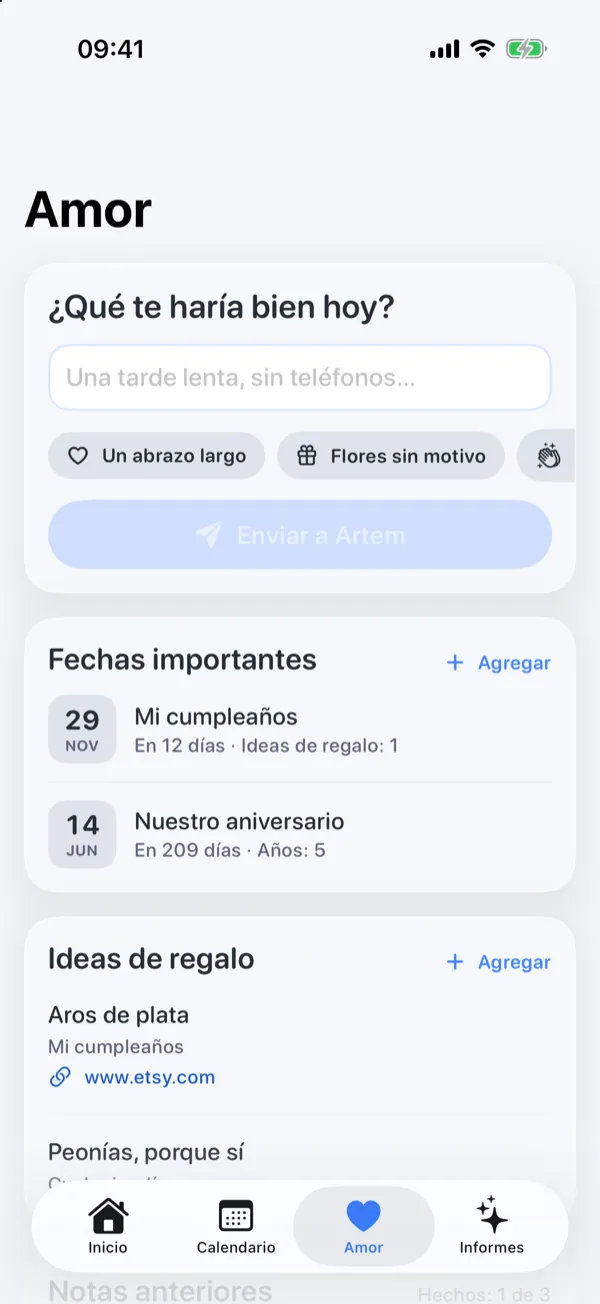
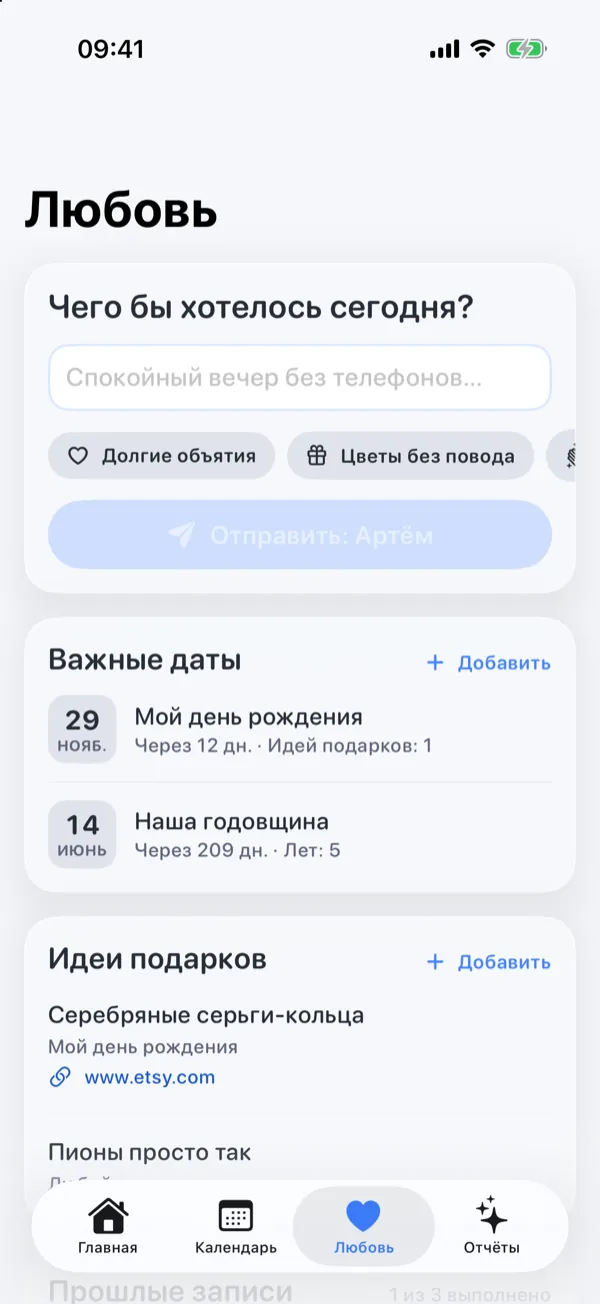
In the latest update Yuni has a new tab, Love, next to Home and Calendar. It is there in both modes: for the person who tracks her cycle and for the partner who supports her. On her side it has three parts.
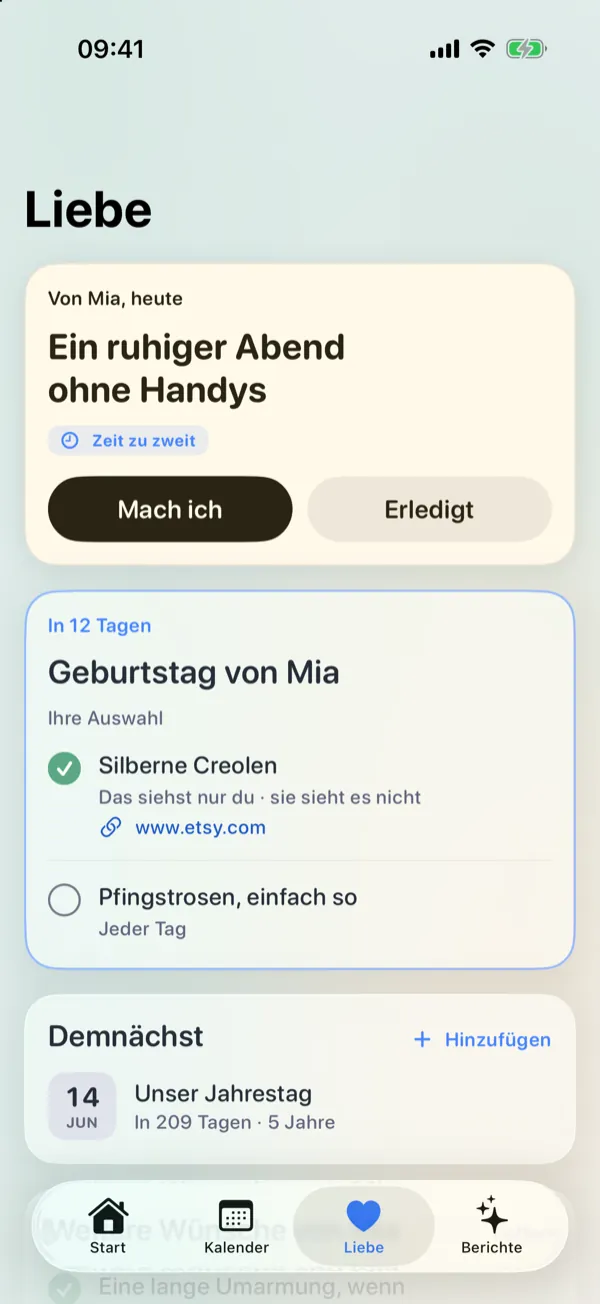
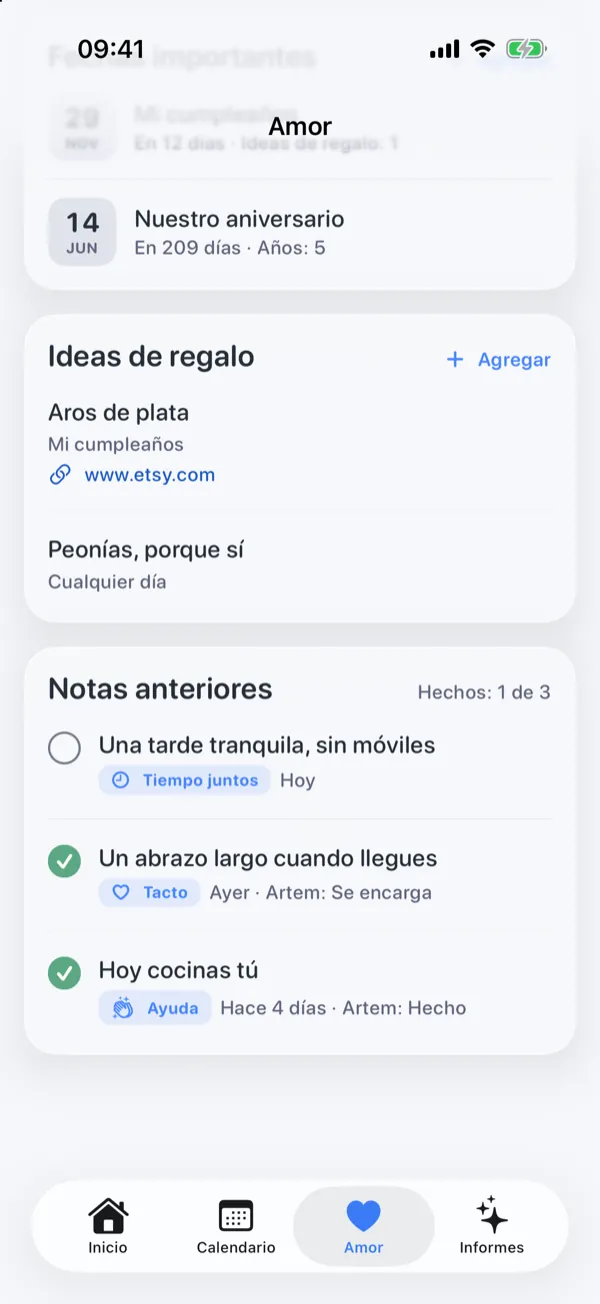
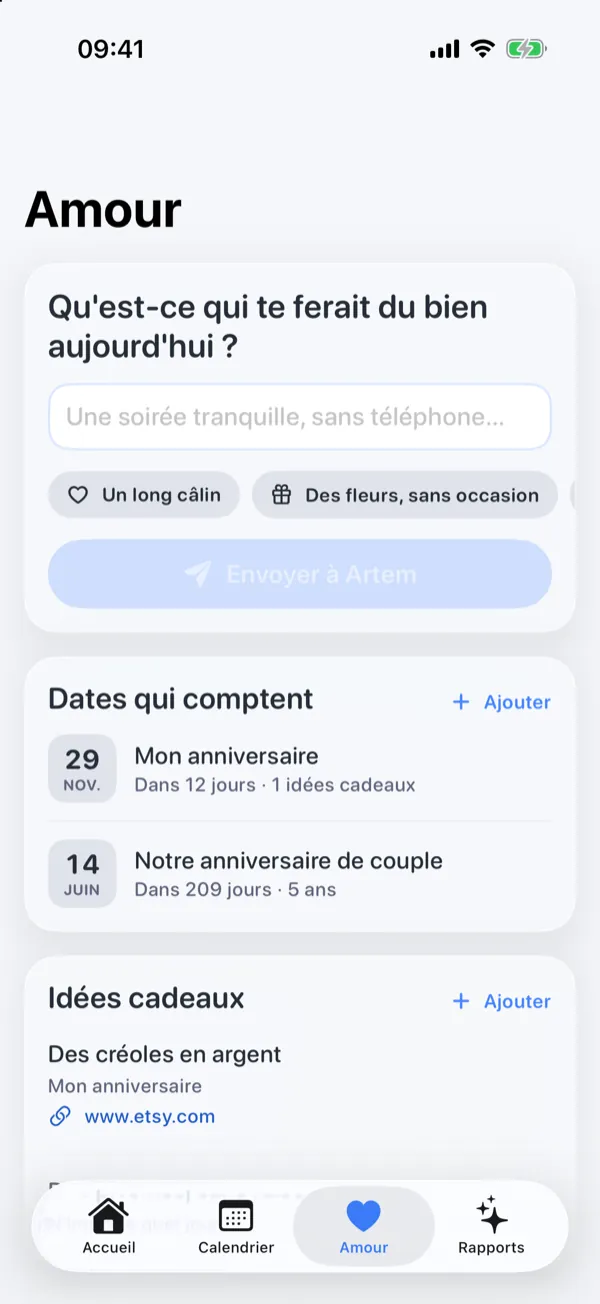
Wishes. When something comes to mind, Mia writes it down as it is: "A quiet evening, no phones", "A long hug when you get home", "You cook tonight". Quick suggestions help when she does not feel like typing, and she can give each wish a category: time together, touch, help, gift or words. You will notice those line up neatly with the five love languages.
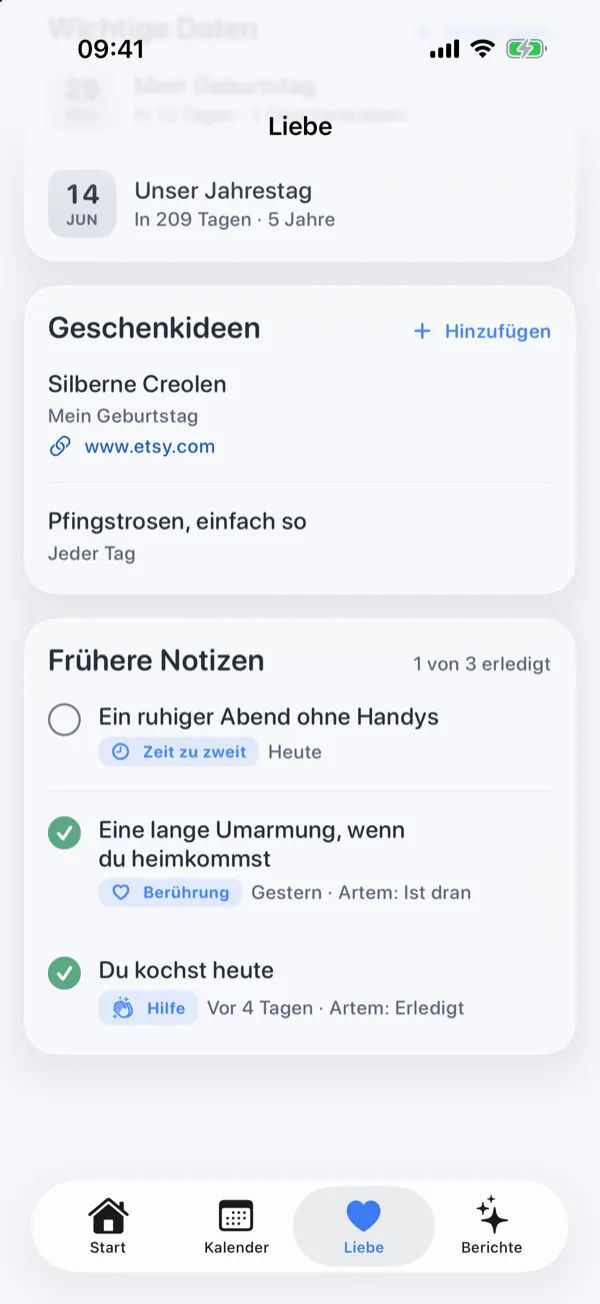
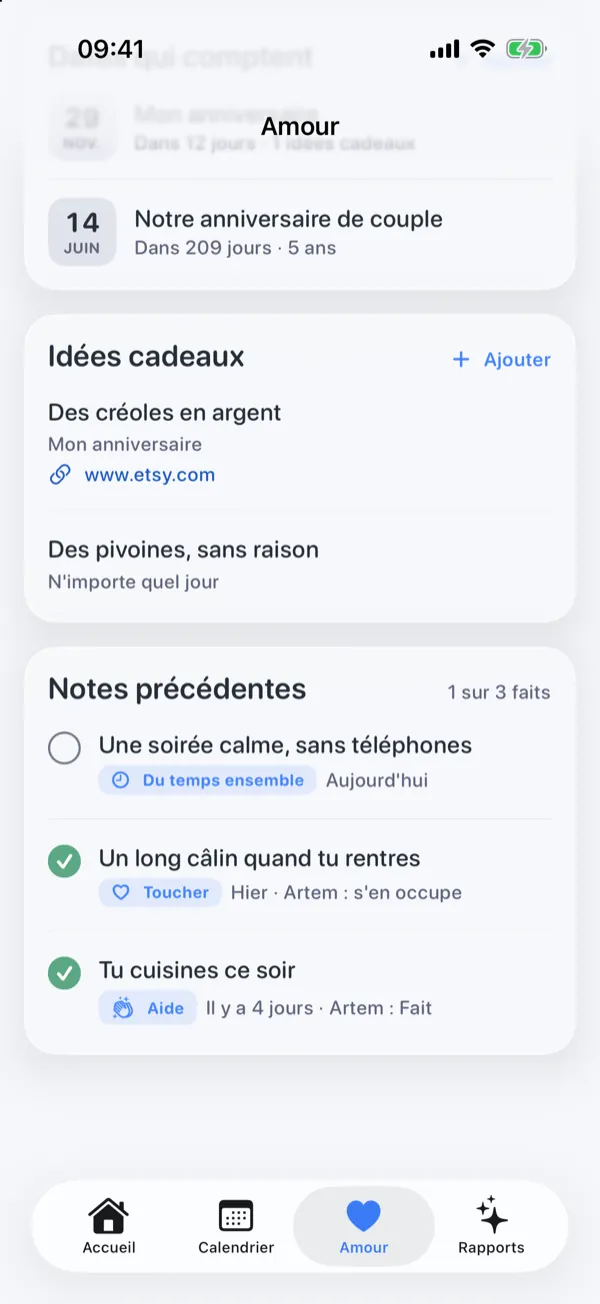
Gift ideas. Things she would love to get, with a link if she has one, tied to a date such as her birthday, or to any day.
Dates that matter. Her birthday, your anniversary, and anything else that counts for the two of you.
What he sees
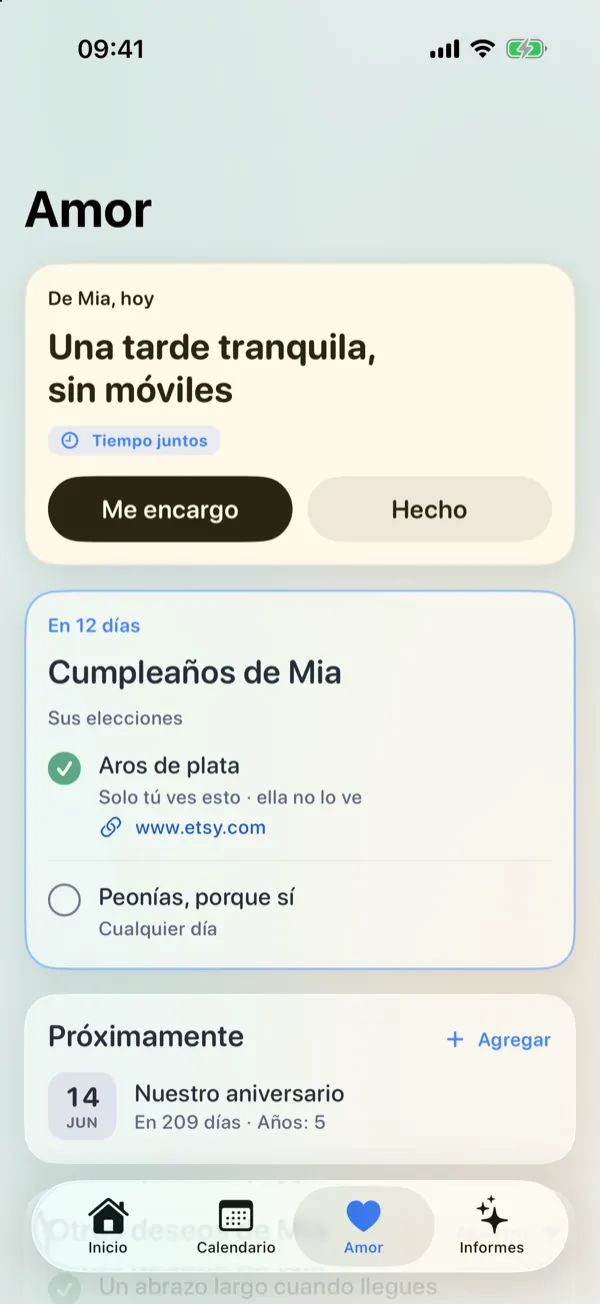
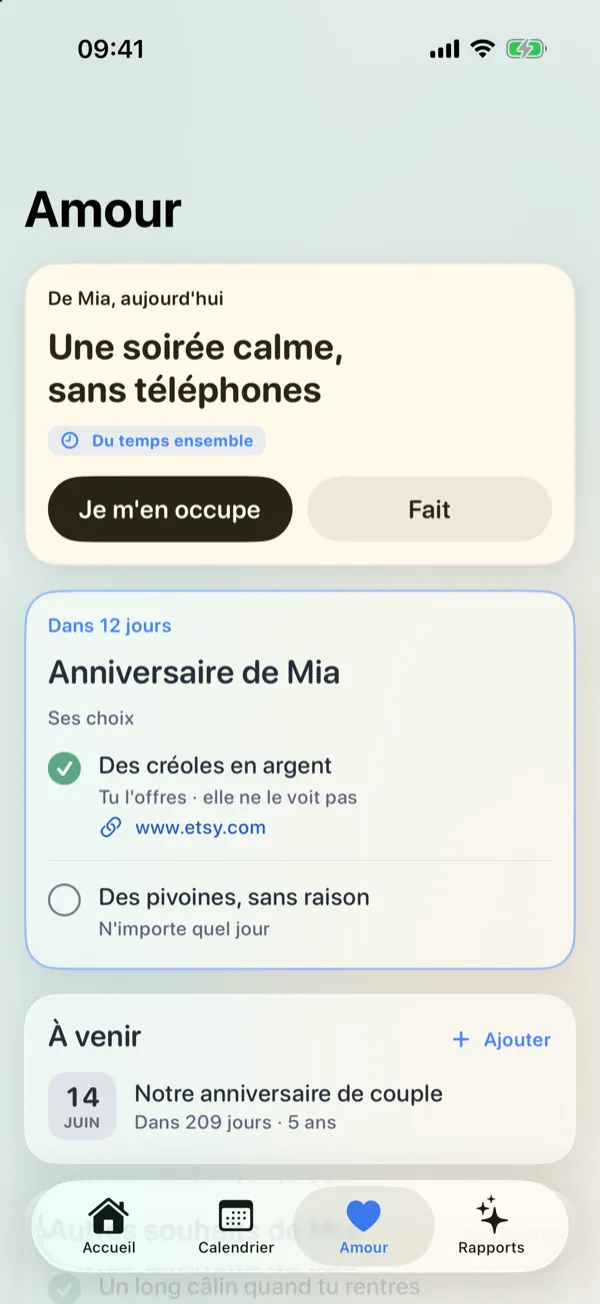
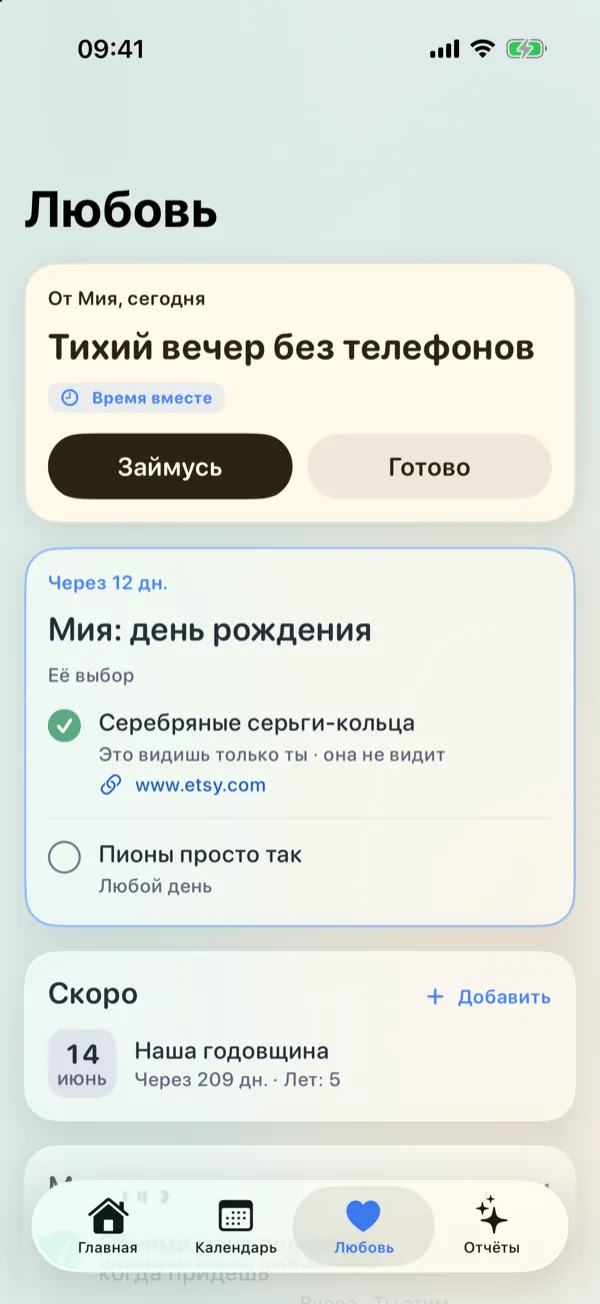
On Artem's phone, her newest wish shows at the top of the tab as a note. He answers with one tap: "On it" or "Done".
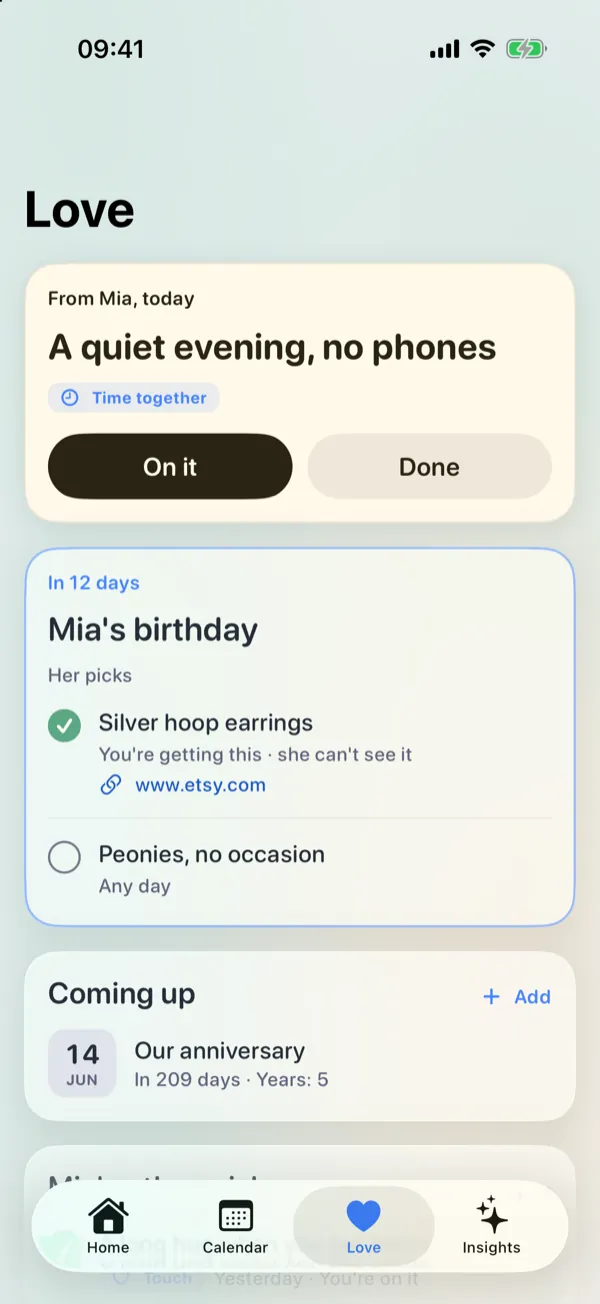
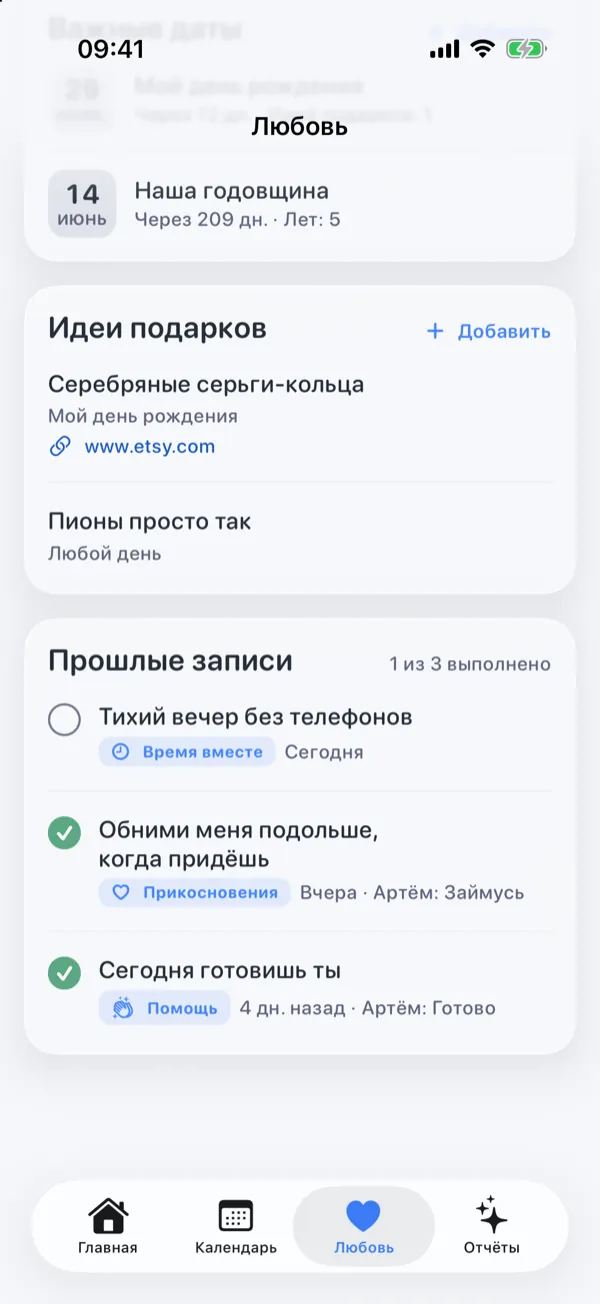
Mia sees his answer under each wish, so nobody has to ask "did you see what I wrote?".
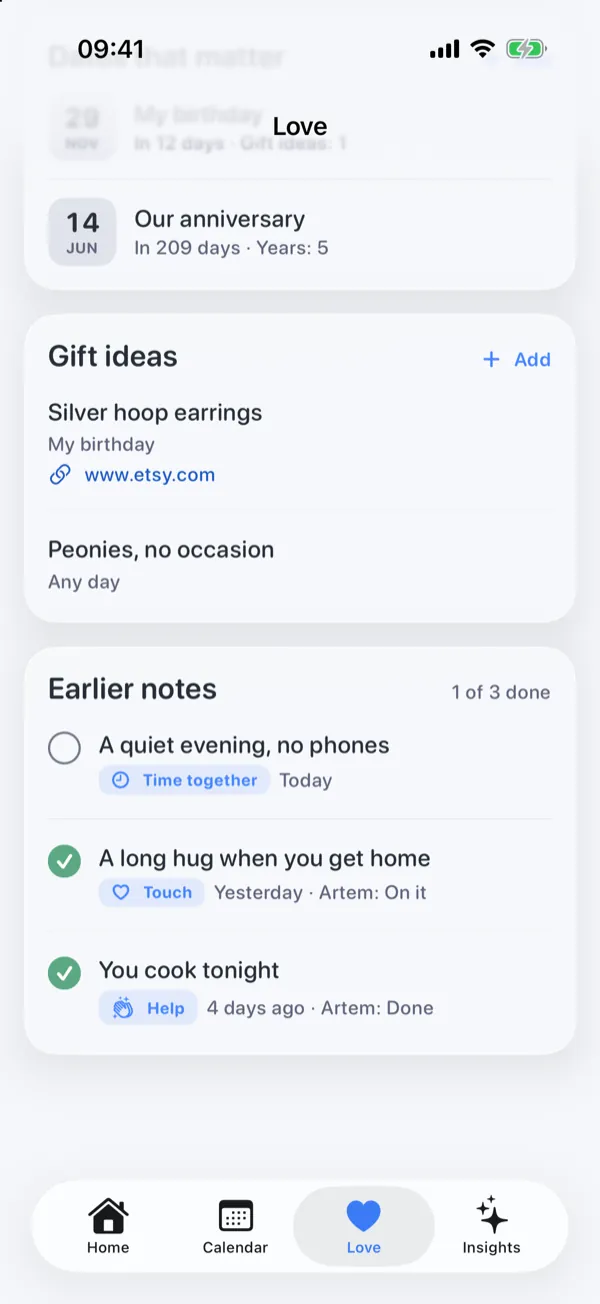
When a date is coming up, he sees her gift picks for it and can mark the one he is getting. She never sees which one he marked, so it stays a surprise.
He gets a notification when she writes a new wish, and a reminder a week before each date and on the day itself. The dates also show in Yuni's calendar with a small gift mark. If she has chosen her love language in her preferences, it shows on his side too, so the categories mean something to him.
And if he installed Yuni first, he does not have to wait for her: he can add her birthday and your anniversary himself, before she is on Yuni at all.
When he is not on Yuni yet
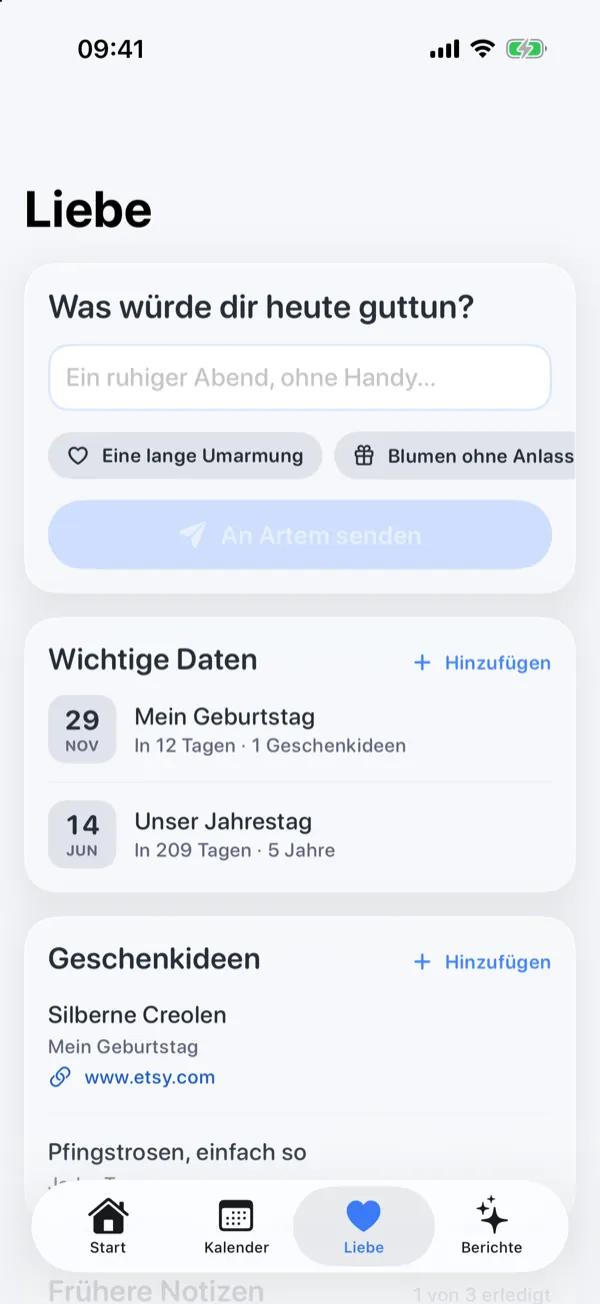
She can still start today. She writes a few wishes and sends him a link. He opens it in any browser and reads her wishes and gift ideas on a web page, with no app to install. From there the page leads him into pairing, so her next wish lands on his phone.
The Love tab is free for both partners.
How to start
If you track your cycle in Yuni:
- Update Yuni and open the Love tab.
- Write one small wish for this week. Pick a category if you like.
- Add your birthday and your anniversary under Dates that matter, and a gift idea or two.
- If he is not on Yuni yet, send him the link.
If you are the partner:
- Update Yuni and open the Love tab.
- Add her birthday and your anniversary if they are not there yet.
- When a wish arrives, tap On it, and Done once it is done.
- A week before a date, open her picks and mark the one you are getting.
None of this replaces paying attention to her. It just means that when you want to get it right, you do not have to guess. For ideas that fit the week she is having, try date night ideas by cycle phase, and when her period comes, a period care package is a good place to start.
See her newest wish each day, and know a week ahead when her birthday is coming.

Join the conversation
Be the first to share your thoughts.